A Learning App for Complex Subjects

Turn Complex Subjects
Into Structured Understanding

For students, professionals, and self-learners working through challenging material. Organise concepts, generate precise questions, pressure-test your thinking, and build knowledge you can actually use.

Stop collecting disconnected notes. Start building structured, testable understanding.  

100% free. No paywall.
Currently in Alpha, Feedback welcome

How it works

A simple system
for complex learning

Start with a subject. Break it into topics. Map the relationships between them. Turn knowledge gaps into questions. Then deepen, test, and refine until your understanding holds under pressure.

Video coming soon
01

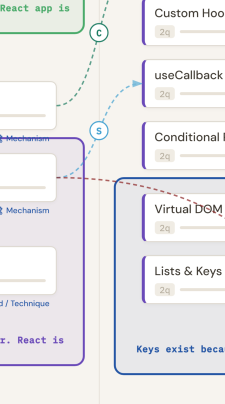
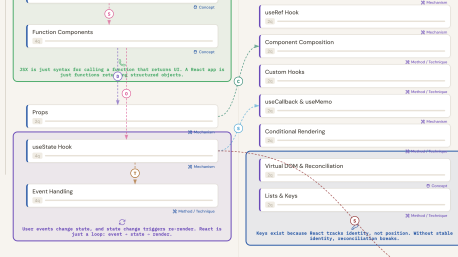
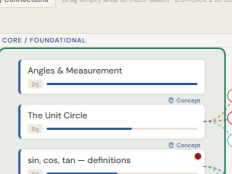
Map what matters

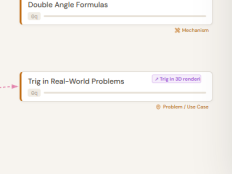
Identify core topics, classify by importance, and see the architecture and relationships of your subject before diving into details.

Map what matters — feature screenshot
02

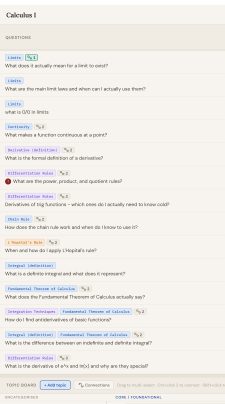
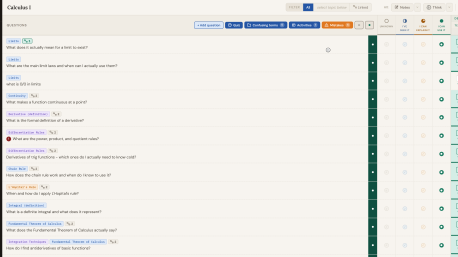
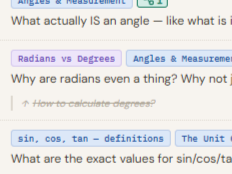
Turn gaps into questions

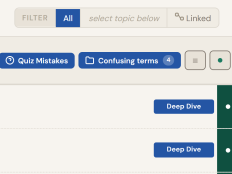
Convert every uncertainty into a precise, linked question. Stuck indicators keep weak points visible so they cannot hide.

Turn gaps into questions — feature screenshot
03

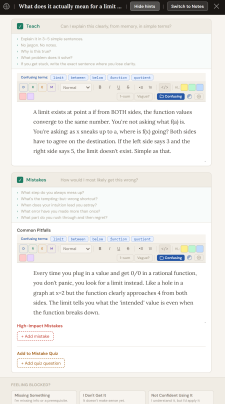
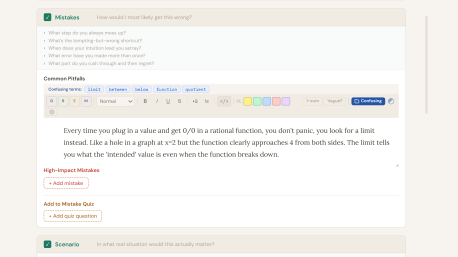
Strengthen through systematic thinking

Depth prompts force the higher-order work most study skips: explain, apply, find limits, contrast, understand mistakes.

Strengthen through systematic thinking — feature screenshot
04

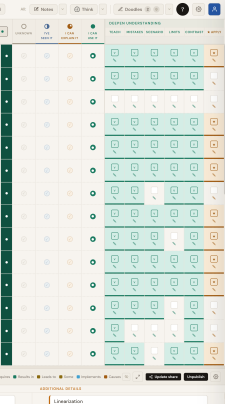
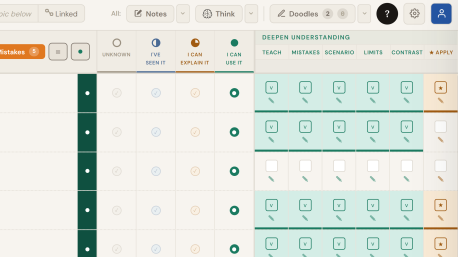
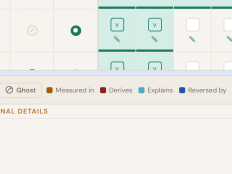
Track what you can explain and use

Four clear stages separate exposure from mastery. The map updates as understanding grows.

Track what you can explain and use — feature screenshot

Features & learning science

Every feature grounded
in research

Each part of DaCosta Thinklab is built around what cognitive science actually shows about how lasting knowledge is formed.

The Topics Board

Build structure before you study details

Before studying anything in depth, identify the main topics of your subject and make them visible in one place. Place foundational ideas first, then separate important details from minor ones

Once the structure is visible, actively ask how topics relate to each other and what questions connect them. This turns studying from passive reading into structured thinking.

The science

Why structured mapping improves learning

Cognitive science consistently shows that learning improves when information is organised into meaningful structures instead of studied as isolated facts. Research on schema formation demonstrates that experts remember and apply knowledge better because their information is organised around core principles and relationships, not scattered details.

Studies on elaborative interrogation show that asking linking questions, for example "How does this connect?" or "Why does this matter?", significantly improves long-term retention. When learners first identify core ideas and connect details to them, recall improves and transfer to new problems becomes more likely.

The Questions Panel

Start with questions, not answers

Capture every knowledge gap as a specific question 'first' instead of a vague note. And your learning will significantly improve. If you cannot form a clear question, you do not yet know what you are trying to understand.

Link questions to their topics and chain questions so the order of understanding becomes visible. When a question sharpens, merge it while preserving its history. Use stuck indicators to flag blocked questions so weak points cannot hide.

The science

Why starting with questions changes how you learn

Research in cognitive psychology shows that learning improves when learners define problems before receiving explanations. Generating questions first activates prior knowledge, exposes knowledge gaps, and creates the important mental framework that incoming information can attach to. This inquiry-based learning approach consistently produces stronger understanding than passive intake.

Simply reading without forming questions leads to shallow processing and overconfidence. When you articulate a question you create a goal state. The brain then processes new information as an attempt to resolve that gap, increasing attention, encoding strength, and long-term retention.

Understanding Stages

Separate exposure from real mastery

Every question sits in a clearly defined understanding stage so recognition is never confused with actual mastery. Classify what you can do with each question right now.

Depth checks and application requirements make progress evidence-based. Instead of relying on confidence, the system shows whether a question has been examined well enough, pressure-tested, or applied.

The science

Why visible stages prevent false confidence

Cognitive psychology consistently shows that people are poor judges of their own understanding. Rereading material increases familiarity, and familiarity is often misinterpreted as mastery. This is the illusion of competence. When learners rely on recognition instead of recall, they systematically overestimate what they can actually produce or apply.

Research on metacognitive calibration shows that structured self-testing improves judgment accuracy over time. When learners repeatedly compare what they think they know with what they can actually produce, confidence becomes better aligned with reality. Separating stages does not add friction. It adds measurement and clariy.

Deep Dive

Finish the thinking most study skips

Deep Dive locks you into one question so you can complete the higher-order work that creates real mastery. Prerequisites are visible so you stop building on missing foundations.

Depth prompts force the thinking that matters: explain from memory, ground in a concrete scenario, define its limits, contrast with similar ideas, capture personal mistakes, and prove you can apply it. You are not checking boxes. You are building usable understanding by default.

The science

Why deep interrogation produces usable knowledge

Research on knowledge organisation shows that experts differ from novices because they recognise deep principles, boundary conditions, and critical distinctions between similar concepts. Prompts that require identifying limits, contrasting alternatives, and analysing failure cases improve structural understanding and reduce surface-level confusion.

Research on transfer demonstrates that learners often fail to apply knowledge in new contexts unless they have practised recognising when it works and when it fails. Deep understanding emerges when explanation, contrast, limits, mistakes, and application are built in as required activities, not optional reflection.

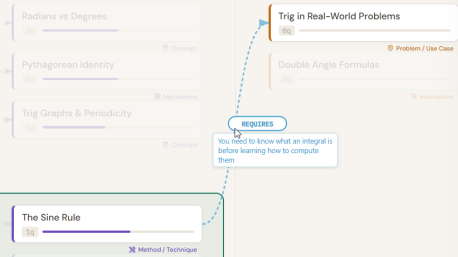
Topic Connections

Make relationships explicit, not assumed

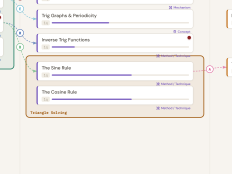
Draw arrows between topics to make their relationships explicit instead of keeping them in your head. Label the connection type, direction, and meaning so you clarify what the relationship is between topics.

When relationships are visible, gaps, weak foundations, and misplaced assumptions become obvious. A list of topics becomes a usable and personal mental model.

The science

Why explicit relationship mapping improves understanding

Research on knowledge organisation shows that deep learning depends on how concepts are structured in relation to one another. Students who organise knowledge around underlying principles and connections perform better than those who store ideas as isolated facts.

Research on analogical reasoning shows that identifying similarities, differences, and causal relationships improves transfer to new contexts. When learners actively encode how concepts relate, oppose, depend on, or extend one another, their knowledge becomes more flexible and much more applicable.

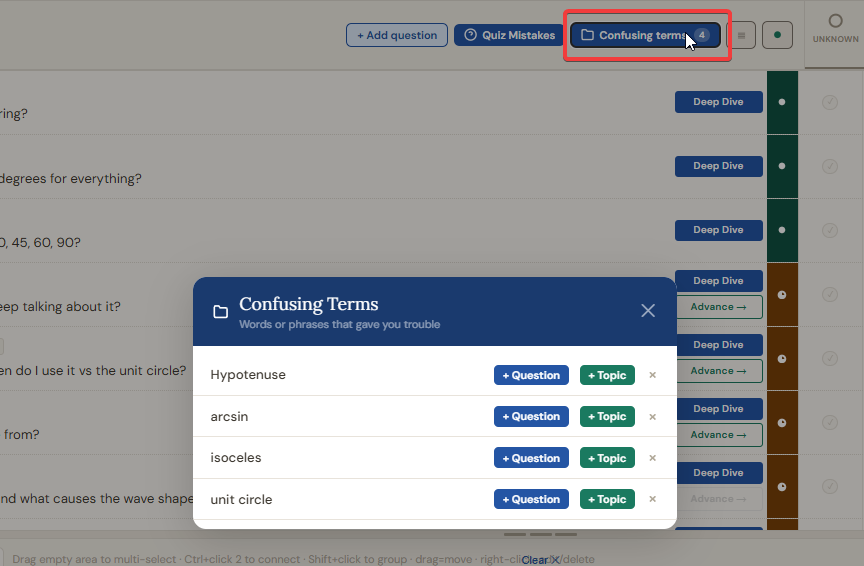
Confusing Terms

Capture confusion before it disappears

When a word or phrase interrupts your understanding, highlight it and save it instantly. The system stores it so you can continue learning without holding that confusion in working memory.

If the same term repeatedly blocks you, the app flags the pattern and prompts you to turn it into a proper question or even a new topic. Repeated friction becomes structured learning, not silent confusion.

The science

Why capturing confusion improves learning

Research on comprehension monitoring shows that learners often fail to notice when they do not understand something. Even when they do notice confusion, they frequently move on without resolving it. This leads to fragile understanding built on unclear foundations.

Studies on metacognition demonstrate that effective learners actively monitor breakdowns in comprehension and take corrective action. Converting uncertainty into targeted questions improves attention and retention. When confusion becomes a defined problem rather than a vague feeling, the brain allocates effort far more efficiently.

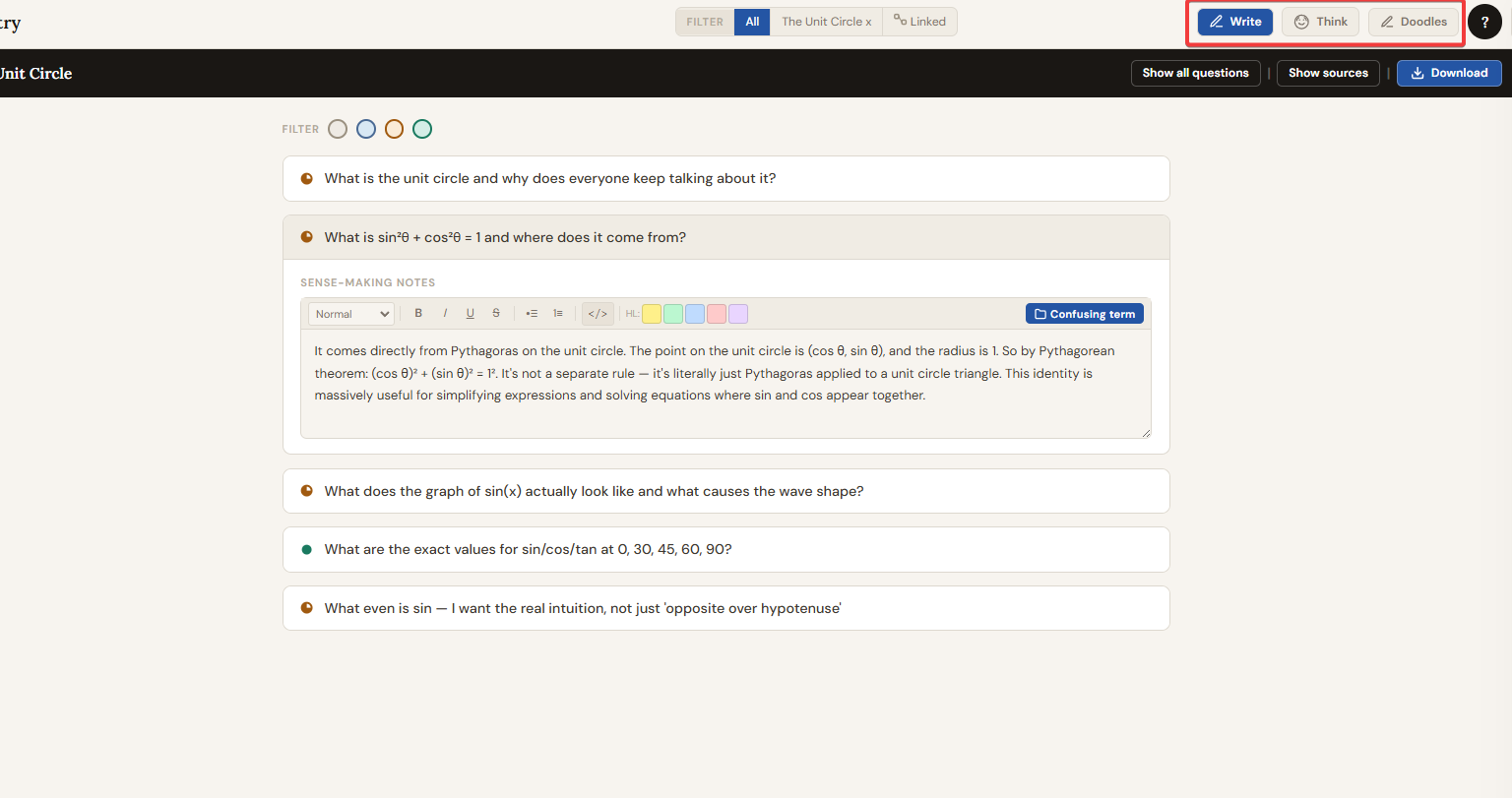
Focus Modes — Write & Think

One topic. One mode. No noise.

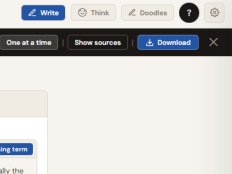
Select a topic and enter Focus Mode to work only on the questions that belong to it. Use Write Mode to build and refine your understanding in a clean, full-screen workspace. Switch to Think Mode to interrogate those same questions through structured depth prompts, one at a time.

Focus Mode turns scattered study into a controlled session with a clear cognitive target.

The science

Why focused, single-context sessions improve learning

Research on cognitive load shows that working memory is limited. When attention is split across multiple contexts, performance and retention decline. Even small context switches reduce depth of processing and increase error rates. Constraining work to one topic and one type of cognitive activity at a time preserves mental resources for actual thinking.

Research on deliberate practice further shows that improvement depends on focused, goal-directed sessions.

More features

Eleven more things
worth knowing

Every feature in DaCosta Thinklab exists to serve one goal: knowledge you can actually use.

01

Question Dependencies

Mark when one question must be understood before another makes sense. The order of learning becomes visible and deliberate instead of accidental.

Chains of reasoning →
02

Question Evolution

When a broad question sharpens into a precise one, merge them. The earlier version is preserved as history inside the new card. Thinking develops on the record.

Refined thinking →
03

Topic Strength Indicator

Did enough deep thinking happen for a topic? The Topic strength indicator bar is calculated automatically from how far its linked questions have progressed. The board shows reality, not intention.

Auto-updated →
04

Topic Groups

Shift-click to group related topics with a shared colour border. Clusters and sub-systems emerge visually. Grouping topics mentallty before exploring them lowers the burden of learning and improve retention.

Visible architecture →
05

Connection Types

Define what each arrow actually means: requires, causes, contrasts, extends. etc. A shared vocabulary makes your knowledge map precise instead of decorative.

Standardised vocabulary →
06

Stage Filtering

Filter the entire question board to show only cards at a specific stage — Unknown, Heard of it, Think I know it, or Understood. Work one level at a time.

One level at a time →
07

Strategic Sort Modes

Sort by Weakest first to attack your worst gaps. Strongest first to consolidate. Alphabetical or newest for navigation. The order of work stops being random.

Deliberate order →
08

Stuck Indicators

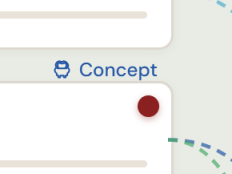
Flag any question that genuinely blocks you. It gets a red dot so confusion stays visible. A cluster of stuck cards around one topic is a clear signal that topic needs extra work.

Obstacles become targets →
09

Source Tracking

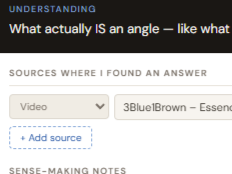
Attach the source directly to the question. Also mark if a specific was usefull or not. You see not just what you know but where it came from. This is useful when a claim needs revisiting.

Clarity of origin →
10

Sub-Pages

When a topic grows large enough to deserve its own learning environment, then you can promote it to its own full page. It stays visible on the parent with a link indicator.

Depth without clutter →
11

Export to Study Note

Every checked depth response compiles into a single clean text — your personal study note for that piece of knowledge, written entirely in your own words.

Your words, not someone else's →
12

Doodles

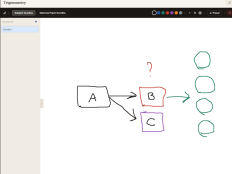
A Focus Mode that opens a full-screen drawing canvas. Sketch diagrams, maps, and visual notes for any topic, Draw as many doodles as you need, per subject. Some knowledge is easier to own when you can draw it.

Your words, not someone else's →

Questions

Frequently asked

Honest answers to the questions people ask before they start.

Is this just another note-taking app or mindmap tool?

No. Note-taking apps help you collect information. Mindmaps help you organise it visually. DaCosta Thinklab does something different: it tracks how well you actually understand each piece of knowledge and forces you to develop that understanding through structured interrogation.

The distinction matters because the most common failure in learning is not a lack of collected notes. It is confusing collection with understanding. This app exists specifically to close that gap.

Why is it free? What is the catch?

There is no catch. The production of the app moved relatively quickly, but what it is built on did not. The research behind it took close to eight years: studying the cognitive science of learning and, more importantly, talking directly with high-performing students from across the world about how they actually develop deep understanding. Not how they think they do. How they actually do.

The app also exists because I have two kids, and I want them to have a proper tool when they start working through complex material. Something that reflects what learning actually is, not just what it looks like from the outside.SOmething that promotes asking questions and 'connecting the dots' in a better way.

Everything the app can do right now is free, and that will not change. Whatever features exist today will remain free for everyone, always. We have no plans for a premium tier at this point, though we cannot rule out that future features we have not yet built might one day be considered separately. What we will never do is put a paywall on what is already here. Feel free to donate to support further development of this app. You can find a donate button at the footer below.

How much setup does it require before I can actually start learning?

Almost none. Open the app, create a page for your subject, and start adding the topics you know you need to learn. Then start writing questions. You can organise, link, and refine as you go. The system is designed to be worked with in real time, messy and incomplete.

The worst thing you can do is wait until your Topic Board is perfectly organised before adding questions, or wait until all your questions are in before starting to study. Structure emerges from use, not from planning. The app matches the organic nature of learning complex subjects well.

What kind of subjects does it work for?

Any subject that requires genuine understanding rather than just memorisation. The system was built and tested on both theoretical subjects — calculus, physics, philosophy, law, economics — and procedural ones like Programming, 3D software, and design systems.

If the subject has structure that can be broken into topics, and depth that requires more than surface familiarity, DaCosta Thinklab is designed for it.

How is this different from just writing good notes?

Good notes capture what you read. DaCosta Thinklab tracks what you understand. The difference shows up at application time. When you need to use the knowledge in a real context and discover that familiarity with the words is not the same as owning the idea.

The depth checks (Apply, Limits, Connections, Mistakes, Teach, Fuzzy, Proven) are the part notes rarely reach well enough. They force you past comprehension into usable knowledge. Is is the kind questions that you need to ask yourself when learning that enables deep understanding and that holds up when you try to actually do something with it.

Is there a wrong way to use it?

Yes. The most common mistake is treating it as an admin task. Carefully organising topics and cards as an end in itself rather than as a live reflection of actual study. If you are spending more time maintaining the board than learning from it, something has gone wrong. The app is designed to make you THINK about what you are learning. It's designed to make deep thinking the default instead of the forgotten step.

The second mistake is moving question cards to Understood before you genuinely understand them. In the app a question cannot be set to "I know it" before at least a few deep-thinking checkboxed are checked. That friction is intentional.

Where does my data go? Is it stored on your servers?

Your learning data is yours. In our view your learning questions and process are highly personal and uniqeuely yours. We do not sell it, share it, or use it to train anything. The app is a tool for your own learning process. Your questions, your depth responses, and your knowledge map are private and remain so.

Does the app use AI?

It does not. And that is a deliberate choice.

Everything is AI right now, and there are things AI genuinely does well. But there is one thing it cannot do: the hard work inside your own brain that actually causes learning to happen. That part cannot be automated or shortcut. It requires your effort, your attention, and your thinking.

This app does not try to do your learning for you. It tries to make sure the effort you put in is directed at the right things, in the right order, at the right depth. The thinking is still yours. It always has to be.

The app is currently in alpha. What does that mean for me?

It means the core system works and is usable, but edges are still being refined. You may encounter rough edges or missing polish. If you do, feedback is genuinely useful and acted on. Use the feedback button in the app or reach out directly.

It also means this is a good moment to be here. The people who use early versions shape what it becomes.

Free forever. No paywall.

Start building knowledge
you can actually use.

No subscription. No premium tier. DaCosta Thinklab is free because deep learning should be accessible to everyone working through hard material.

Launch DaCosta Thinklab

Works in your browser. Nothing to install.